Definition guide

What is Magnific AI and what does it do?

What is Magnific AI? It is an AI image tool designed to enhance, upscale, and reinterpret visual details while giving creators more control than a basic resize filter.

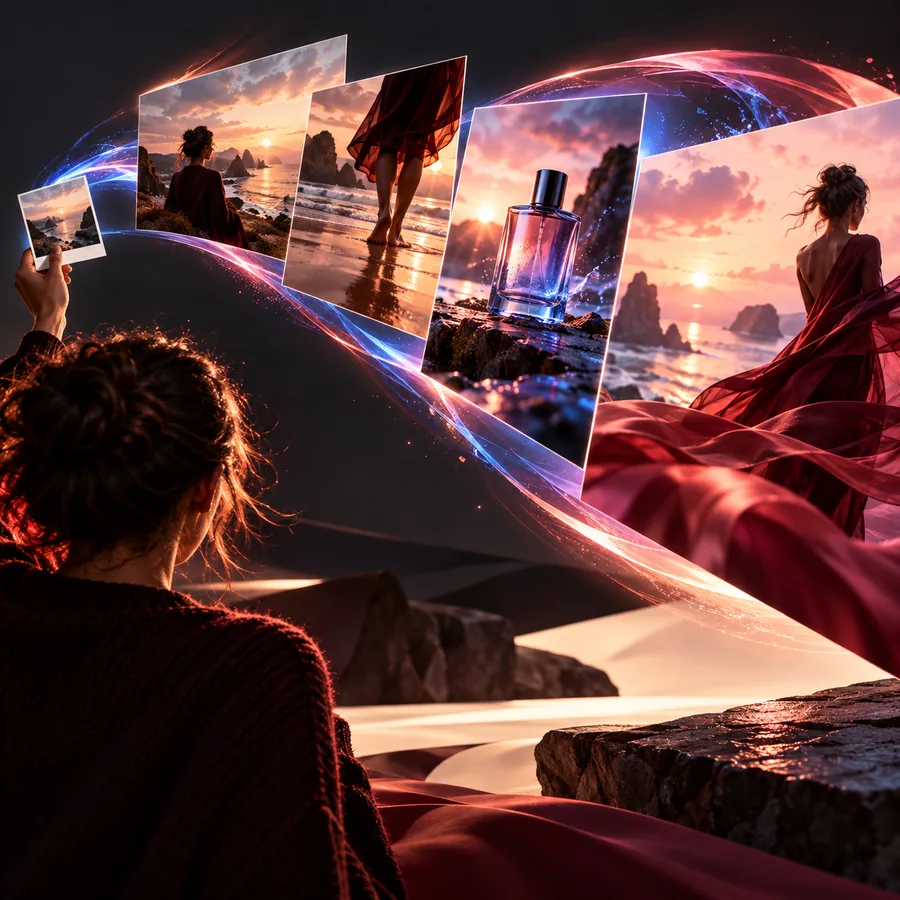
Abstract high-detail AI-enhanced image composition

Important caveats

What it can and cannot do

Generative enhancement is powerful, but it should be treated as an informed interpretation rather than a forensic restoration.

1

It cannot recover every original detail

If a face, texture, or object is severely blurred or missing, the system may invent plausible detail rather than reveal the exact original.

What to do instead

Use the clearest source available and compare the result against the original before publishing.

2

It cannot guarantee factual accuracy

Fine details such as text, logos, facial features, or product markings may change during enhancement.

What to do instead

Inspect important areas at full size and correct sensitive details in a conventional editor.

3

It cannot replace creative direction

The tool can strengthen a visual, but it does not decide whether the composition, mood, or message is right for your project.

What to do instead

Choose the intended style and output purpose before enhancing.

4

It is not equally useful for every source

A clean, reasonably exposed image gives the process more reliable visual information than a tiny, noisy, or heavily compressed file.

What to do instead

Pre-crop, denoise, or select a better source when possible.

Visual example

From source image to richer detail

The difference is best judged by comparing the starting image with the interpreted result at the same subject and crop.

Source image before AI enhancement
Source
Image with enhanced visual detail
Enhanced

Enhancement adds interpretation as well as detail.

SourceEnhanced

Typical workflow

How it works

The process is straightforward: provide a source, guide the intended result, and review the output carefully.

  1. 1

    Start with a source

    Choose an image whose subject, composition, and overall direction are already close to what you need.

  2. 2

    Set the visual goal

    Decide whether the priority is larger output, clearer texture, stronger definition, or a more developed visual treatment.

  3. 3

    Review and refine

    Inspect faces, text, edges, and small objects, then keep the version that serves the final use rather than the one that simply looks more dramatic.

Where it fits

What the tool is built to help with

Its value becomes clearer when the enhancement supports a real visual task rather than being applied as an automatic finish.

Detailed visual subject presented at a larger scale Detail

Step 1

Recover presence in small images

A modest source can feel more usable when important contours, surfaces, and subject details receive additional definition. This is helpful when the image must be viewed larger than its original capture suggests.

  • Improve perceived clarity
  • Give a small subject more presence
  • Prepare imagery for review or presentation
Creative image with developed texture and atmosphere Creative control

Step 2

Develop a stronger visual treatment

Generative enhancement can go beyond simple sharpening by interpreting texture and structure. That makes it relevant for concept imagery, editorial visuals, and creative explorations where character matters as much as technical crispness.

  • Refine texture and atmosphere
  • Support a chosen visual direction
  • Explore alternatives without rebuilding the whole image
Polished visual prepared for creative communication Presentation

Step 3

Prepare images for communication

When an image carries a product, place, person, or idea, better-defined details can make the message easier to read. The output still needs human review, especially when accuracy matters.

  • Strengthen visual presentation
  • Make key subjects easier to inspect
  • Keep the final decision with the creator

Choose by intent

When it makes sense to use it

The right choice depends on the source image, the desired result, and how much accuracy the final use requires.

or

Option 1

You have a promising image that feels too small or soft

Use an AI enhancement workflow before rebuilding the visual from scratch.

It can preserve the source direction while giving the image more usable presence.

or

Option 2

You need exact text, logos, faces, or product markings

Use the tool as an exploratory step, then verify and correct the result manually.

Generative detail may look convincing while still changing facts that must remain precise.

or

Option 3

You want a finished image with a specific creative mood

Treat enhancement as part of the visual development process rather than a one-click repair.

A clear creative goal helps you judge whether added detail improves the message.
Practical signals

What good results depend on

A few simple checks make the process more predictable and the final judgment more useful.

A credible source

Start with an image that has a clear subject and enough visible information for the system to interpret.

A defined purpose

Know whether you are seeking size, clarity, texture, atmosphere, or a more developed creative treatment.

Close inspection

Review the output at full size because attractive overall detail can hide changes in small but important areas.

A comparison mindset

Keep the source beside the result so you can distinguish genuine improvement from details that were newly invented.

Human judgment

Use your own standards for accuracy, taste, and context before sharing or publishing the enhanced image.

Room to refine

Expect useful work to involve selection and adjustment rather than accepting the first output automatically.

Next step

If you have an image that needs more presence, clarity, or creative development, try the tool with a specific outcome in mind and review the result carefully.

See what Magnific can add to your visual workflow

  • Begin with your strongest source image
  • Compare the result against the original
  • Keep accuracy-sensitive details under review
Try Magnific

FAQ

Magnific AI FAQ

Magnific AI is an AI image tool that can enhance, upscale, and reinterpret visual details. It is intended for creators who want a more developed or usable image from an existing source.

It analyzes the source image and generates additional visual detail based on the structures it detects. The output can look sharper or richer, but some details may be an interpretation rather than an exact recovery.

It can be useful to photographers, designers, marketers, illustrators, and other visual creators. The strongest fit is someone who has a clear image goal and is willing to review the result rather than accept it blindly.

No. Ordinary resizing changes the dimensions using interpolation, while an AI enhancement process can generate or reinterpret details. That difference can produce a more expressive result, but it also makes careful checking important.

Start creating
Start creating